In the competitive world of content creation, the difference between a video that gets skipped and one that gains thousands of subscribers often comes down to one thing: production value. While many creators obsess over 4K cameras and expensive microphones, lighting for youtube videos is actually the most critical factor in determining your visual quality. Even the most expensive camera will produce grainy, unappealing footage in a poorly lit room, while a humble smartphone can look like a cinema camera with the right light setup.
How to Set Up Lighting for YouTube Videos (The Three-Point System)
Before you buy any equipment, you need to understand the “Three-Point Lighting” system. This is the industry standard for interviews, vlogs, and talking-head videos. It consists of three specific lights positioned to create depth and eliminate unflattering shadows.
- The Key Light: This is your primary light source. It should be the brightest light in your setup and placed at a 45-degree angle to your face. It shouldn’t be directly in front of you, as that can make your face look “flat.”
- The Fill Light: Positioned on the opposite side of the Key Light, the Fill Light is dimmer. Its purpose is to “fill” in the shadows created by the Key Light, ensuring that one side of your face isn’t completely dark.
- The Backlight (or Hair Light): This light is placed behind you, out of the frame. It shines on your head and shoulders to create a thin outline, which separates you from the background and adds a three-dimensional feel to your video.
By mastering this setup, you can ensure that your lighting for youtube videos looks professional and polished, regardless of the room you are in.
Budget YouTube Lighting: Mastering Natural Light
If you are just starting out and don’t want to spend hundreds of dollars, budget youtube lighting is entirely possible by using the world’s best free light source: the Sun.
The “Window Trick” is the most effective way to get high-quality visuals for free. Position yourself so that you are facing a large window. The window acts as a giant softbox, providing soft, flattering light that hides skin imperfections.
Pro Budget Tips:
- Avoid Direct Sunlight: Harsh, direct sunlight creates heavy shadows and makes you squint. Shoot during an overcast day or when the sun isn’t hitting the window directly.
- Use a Reflector: If one side of your face is too dark, use a white foam board or a piece of white cardboard as a reflector. Place it opposite the window to bounce light back onto the shadowed side of your face.
- Diffusing Existing Lights: If you must use household lamps, remove the shades and hang a thin white bedsheet or parchment paper in front of them to soften the light.
Best Lighting for YouTube Videos: Professional Gear
For those ready to take their channel to the next level, investing in the best lighting for youtube videos involves moving toward dedicated LED technology. Modern YouTubers prefer LED lights because they are cool to the touch, energy-efficient, and offer precise control.
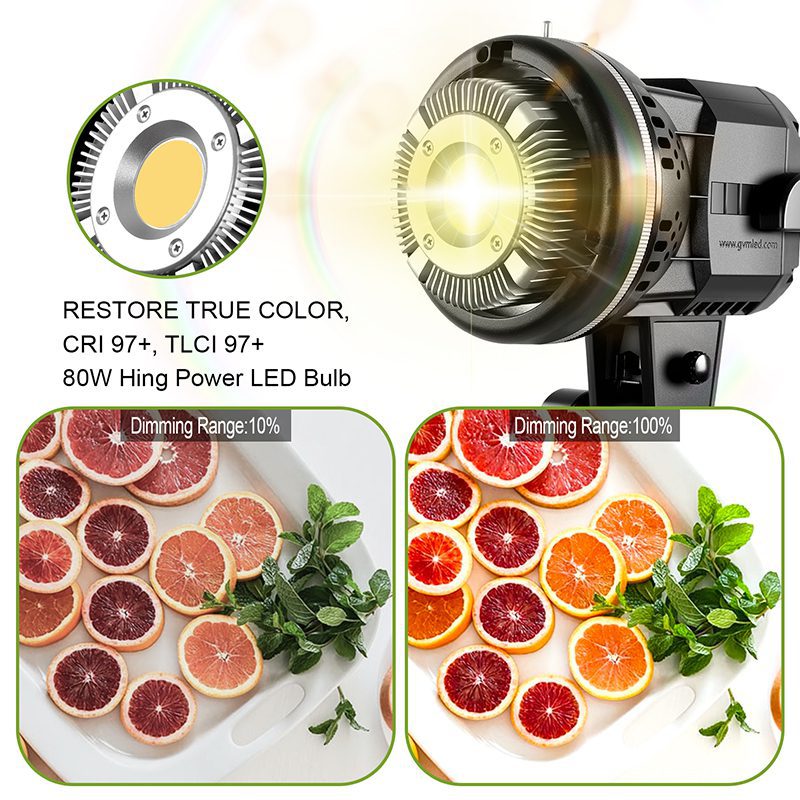
- COB (Chip on Board) LED Lights: These are the gold standard. Lights like the GVM or Aputure series allow you to attach “softboxes” (large fabric enclosures) that create the soft, “dreamy” light seen on professional channels.
- Boîtes à lumière: A large softbox (35 inches or larger) is essential for talking-head videos. The larger the light source, the softer and more flattering the light will be on your skin.
- RGB LED Panels: Many top creators use small RGB panels in the background. By setting these to colors like blue, teal, or orange, you can add a “pop” of color to your background, making your video look much more high-end.
Cheap Lighting for YouTube Videos: Under $100
You don’t need a Hollywood budget to improve your look. There is plenty of cheap lighting for youtube videos that provides a massive upgrade over standard ceiling lights.
- Ring Lights: The most popular choice for beauty and tech vloggers. A 10-inch to 18-inch ring light provides even illumination and creates a circular “catchlight” in your eyes, which makes you look more engaging and energetic.
- LED Panel Kits: You can find dual LED panel kits (including stands) on sites like Amazon for under $80. These often come with adjustable brightness and color temperature, allowing you to match the light to your environment.
- Umbrella Lights: While slightly older technology, umbrella kits are very affordable. They bounce light off a silver or white umbrella to broaden the beam, though they are less “controllable” than modern softboxes.
How to Set Up Lighting for YouTube Videos on iPhone
With the incredible quality of modern smartphone sensors, many creators choose to skip the DSLR and use their phones. However, because phone sensors are small, they require more light to avoid “video noise” or grain. Here is how to set up lighting for youtube videos iphone style:
- Quantity is Key: When using an iPhone, ensure your room is very bright. The more light the sensor has, the sharper the image will be.
- Mount Your Light to a Rig: Use a “Smartphone Video Rig” that allows you to mount a small LED light directly on top of the phone. This keeps the light consistent even if you move the camera.
- Lock Your Exposure: This is the most important step. Once your lights are set, tap and hold on your face on the iPhone screen until “AE/AF LOCK” appears. This prevents the phone from automatically changing the brightness during the video, which can look unprofessional.
- Use the Back Camera: Even though you can’t see yourself, the back camera on an iPhone is significantly better than the selfie camera. Use a small mirror behind the phone or an external monitor to check your framing.
Conclusion
Perfecting your lighting for youtube videos is a journey of trial and error. Whether you are using a $10 ring light or a $1,000 professional studio setup, the principles remain the same: soften your light, create separation from your background, and ensure your eyes have a “sparkle” of reflection.
Start with what you have—use a window or a desk lamp—and as your channel grows, invest in better gear. Remember, your audience will forgive a slightly lower-resolution camera, but they will click away if they can’t see you clearly. Master your light, and your channel’s growth will follow.