In the world of modern content creation, lighting is the bridge between a “home movie” and a professional production. While traditional white lights have their place, RGB video lights have revolutionized the way YouTubers, streamers, and indie filmmakers approach their craft.
Whether you are looking to create a moody “cyberpunk” aesthetic, add a subtle pop of color to your background, or simulate professional emergency vehicle effects, RGB lighting is your most versatile tool. In this guide, we will explore everything you need to know about using RGB video lights to elevate your visual storytelling.
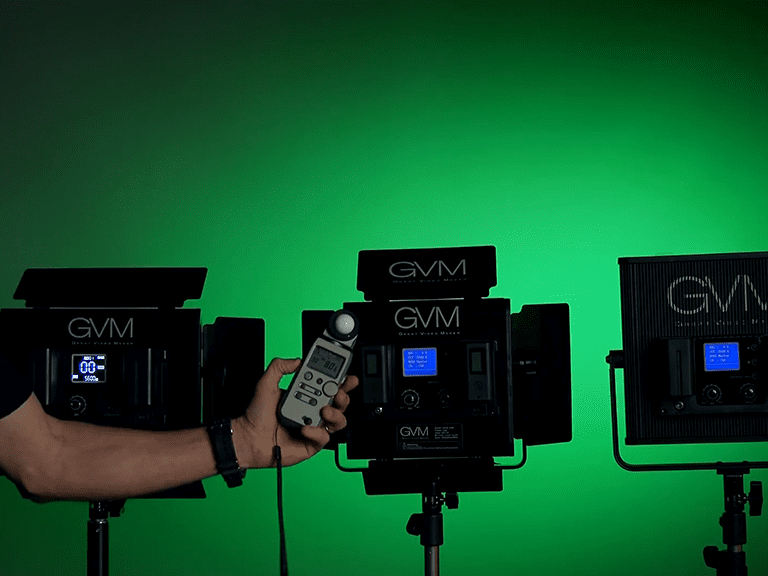
RGB Video Lights vs. Bi-Color: Which One Do You Need?
When shopping for lighting, the first decision you’ll face is choosing between Bi-Color and RGB.
Bi-Color Lights typically offer a range of white light temperatures, usually from 3200K (warm tungsten) to 5600K (cool daylight). They are designed primarily for one thing: making skin tones look natural and matching the ambient light in a room.
RGB Video Lights, on the other hand, use Red, Green, and Blue LEDs to create over 36,000 possible colors. Most modern RGB lights are actually RGBWW, meaning they include dedicated white chips so they can function as high-quality Bi-Color lights und full-color creative lights.
Das Urteil: If you only shoot corporate interviews, Bi-Color might suffice. However, for YouTube, TikTok, music videos, or creative portraits, RGB video lights are the superior investment because they offer total creative freedom without the need for plastic gels.
What Color Lighting is Best for Video?
There is no single “best” color; instead, the best color depends on the mood and the story you want to tell. Understanding basic color theory can help you use your RGB video lights more effectively:
- Warm White (3200K): Best for a cozy, intimate, or “golden hour” feel.
- Cool White (5600K): Best for clean, professional, and daylight-balanced looks.
- Blue/Cyan: Often used to represent technology, night-time, or a sense of calm and melancholy.
- Red/Orange: Evokes energy, passion, danger, or warmth.
- Teal and Orange: This is the most popular cinematic color grade. Using a warm key light on the subject’s face and a teal RGB light on the background creates a high-contrast, professional look.
For most creators, the “best” setup is keeping your subject in natural white light while using RGB colors to “paint” the background.
Wie man RGB-Lichter für Videos verwendet
To light your videos like a professional cinematographer, the core secret lies in “Layering” and “Control.” Here are five essential tips for mastering RGB video lights
1. The “Natural Face, Creative Space” Rule (Key vs. Accent)
- The Concept: Never use saturated RGB colors as your primary Key Light for human subjects unless you are going for a highly stylized, abstract look.
- The Practice: Always use high-quality white light (5600K Daylight or 3200K Tungsten) to illuminate the subject’s face. This ensures natural skin tones. Reserve your RGB video lights exclusively for background decoration or environment accents.
2. Three Techniques to Create Cinematic Depth
- Background Washing: Place an RGB light behind your subject and aim it toward the wall. This instantly breaks the monotony of a flat background and adds visual layers to the scene.
- Rim/Hair Light: Position an RGB light behind the subject at an angle to catch the edges of their hair and shoulders. This colored “halo” effectively separates the subject from the background, creating a professional 3D effect.
- Practical Effects (Environmental Glow): Hide small RGB light pockets or strips behind props—like bookshelves or computer monitors. This creates a “built-in” glow that adds a high-end, cinematic texture to your room.
3. Master Color Contrast & Psychology
- Complementary Colors: The most iconic cinematic setup is “Cool Background + Warm Key Light.” For example, using Cyan as your background color paired with a warm white key light on the subject creates a “Teal and Orange” look that is naturally pleasing to the eye.
- Setting the Mood: Use Red/Orange to evoke energy and passion; Blue/Cyan for technology, calm, or melancholy; and the “Joker” look (Orange/Green) for a gritty, dramatic atmosphere.
4. Prevent “Light Spill” (The Sickly Skin Effect)
- The Issue: If your colorful background light “spills” onto the subject’s face, it can make their skin look sickly (e.g., turning their skin green or purple).
- The Solution: Verwenden Sie Barn Doors (the metal flaps on the light) or Flags (black foam boards) to block the RGB light from hitting the subject. Keep your main light and your colored light strictly separate.
5. Creative Hacks with RGB Lights
- DIY Green Screen: You can turn a plain white wall into a temporary green screen by setting two RGB lights to “Pure Green” and washing the wall evenly.
- Dynamic SFX Modes: Use built-in special effects like “Police Car,” “Lightning,” or “TV Flicker” to simulate complex outdoor environments or dramatic scenes at a low cost within your studio.
The Power of an RGB Video Light with Battery
One of the biggest hurdles in video production is cable management. This is why an RGB video light with battery is a game-changer for creators.
- Portabilität Built-in lithium batteries or NP-F battery plates allow you to shoot in locations without power outlets—like parks, streets, or abandoned buildings.
- Speed of Setup: Without cords to trip over, you can move your lights around instantly to find the perfect angle.
- Run-and-Gun Filmmaking: For vloggers, a small RGB light with a battery can be mounted directly onto the camera hot shoe, providing an instant “fill light” that can change color to match the environment.
When looking for a battery-powered light, ensure it supports USB-C fast charging, which allows you to power the light via a power bank while you shoot.
GVM RGB LED Video Lights Photography Lighting Kit GVM 1200D
Die GVM-1200D RGB LED Video Light is a powerhouse designed for creators who demand both high output and color accuracy. Featuring 928 Premium-LED-Perlen (704 bi-color and 224 RGB), it delivers an impressive 22,100 lux at 0.5m, ensuring your scene is perfectly illuminated whether you’re shooting a commercial or a vlog.
What truly sets the GVM-1200D apart is its 97+ CRI rating, which guarantees lifelike skin tones and vibrant product details. Beyond the standard 3200K–5600K range, it offers a full 360° RGB spectrum with precise HSI control and 0.1% stepless brightness adjustment.
Why Choose the GVM-1200D Kit?
- Pro Light Shaping: Includes an acrylic diffusion panel for soft, flattering light and four-leaf barn doors to precisely direct the beam.
- Smart Control: Verwenden Sie die GVM mobile app via Bluetooth to adjust color, brightness, and the 8 cinematic SFX (like Lightning and Cop Car) from your phone.
- Ready for Any Location: Power your shoot via an AC adapter or Sony F750/970 batteries for ultimate portability in the field.
- Built to Last: The high-grade aluminum alloy body ensures excellent heat dissipation and a lifespan of over 100,000 hours.
Whether you are running a single-light setup or a multi-panel Master-Slave system, the GVM-1200D provides the versatility and professional performance needed to bring any vision to life.
Conclusion: Elevate Your Content Today
RGB video lights are no longer just a luxury for big-budget studios; they are an essential tool for any creator looking to stand out in a crowded digital landscape. By understanding the difference between Bi-Color and RGB, mastering the art of background “pops,” and investing in a portable, battery-powered kit like the GVM RGB LED Photography Lighting Kit, you can transform a boring room into a cinematic studio.
Ready to take your videos to the next level? Start experimenting with color, play with contrast, and let your creativity shine through the power of RGB.