Illuminazione economica per video di YouTubenon deve sembrare economico: anzi, è l’unica cosa che può trasformare istantaneamente clip amatoriali in contenuti dall’aspetto professionale.
Molti nuovi creatori pensano di dover spendere una fortuna in attrezzature da studio, ma oggi, trovare luci economiche per video YouTubeche offre ancora una qualità cinematografica è più facile che mai. Sia che tu stia girando un vlog dalla tua camera da letto o allestendo uno studio casalingo, il giusto luci economiche per video YouTubepuò far sembrare eccezionale anche una fotocamera economica e dare alla tua pelle un aspetto rifinito e naturale.
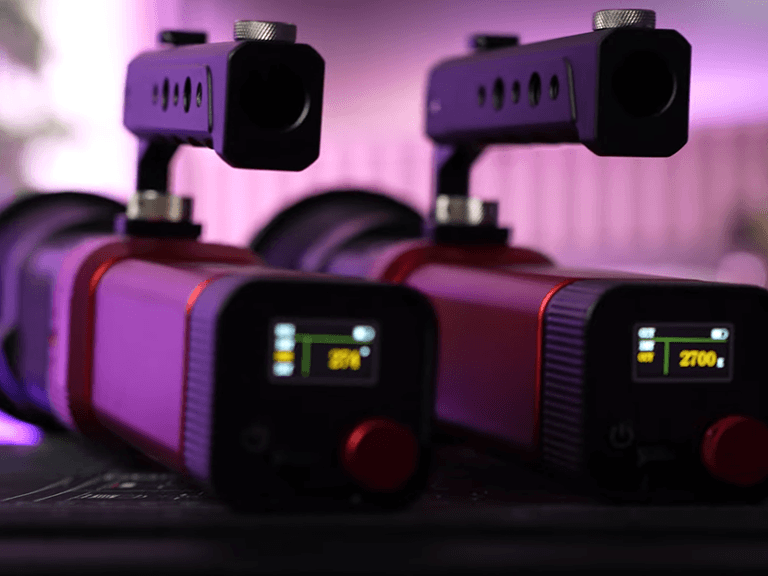
Illuminazione YouTube economica: la qualità incontra l'economicità
Quando parliamo di illuminazione economica per YouTube, non si tratta solo di “prezzo basso”. Si tratta di “valore”. Per un principiante, l'obiettivo è trovare una luce abbastanza versatile da poter crescere con il tuo canale. Un professionista Illuminazione per YouTube L'allestimento di solito prevede un sistema di illuminazione a tre punti: una luce principale (la sorgente principale), una luce di riempimento (per ammorbidire le ombre) e una controluce (per separarti dallo sfondo).
In passato, i creatori dovevano acquistare tre luci separate e ingombranti. Oggi, la moderna tecnologia LED ti consente di ottenere tutto questo con unità compatte e multifunzionali. Le opzioni convenienti includono ora funzionalità RGB, che ti permettono di cambiare il colore dello sfondo dei tuoi video senza acquistare sfondi fisici o gelatine.
Migliore illuminazione per i video di YouTube: cosa cercare
Scegliere il migliore illuminazione per i video di YouTube, devi capire alcune specifiche tecniche che garantiscono che il tuo video non sembri “economico” o “sfarfallante”:
- CRI e TLCI: Cerca un indice di resa cromatica (CRI) di 97 o superiore. Questo garantisce che i colori (soprattutto le tonalità della pelle) appaiano naturali e non “verdognoli” o “svaniti”.”
- Temperatura colore regolabile (CCT): La tua luce dovrebbe permetterti di passare da una luce calda (simile al tramonto) a una luce fredda (simile alla luce diurna). Questo è essenziale per adattarsi alla luce ambientale della tua stanza.
- Portabilità: Se siete uno spettacolo a persona, avete bisogno di attrezzature facili da spostare. Le luci compatte “tascabili” sono di tendenza perché offrono un'enorme potenza in un piccolo fattore di forma.
- Opzioni di controllo: Essere in grado di regolare la luce tramite un'app per smartphone è un enorme risparmio di tempo quando si è seduti davanti alla fotocamera e non si vuole continuare ad alzarsi per girare una manopola.
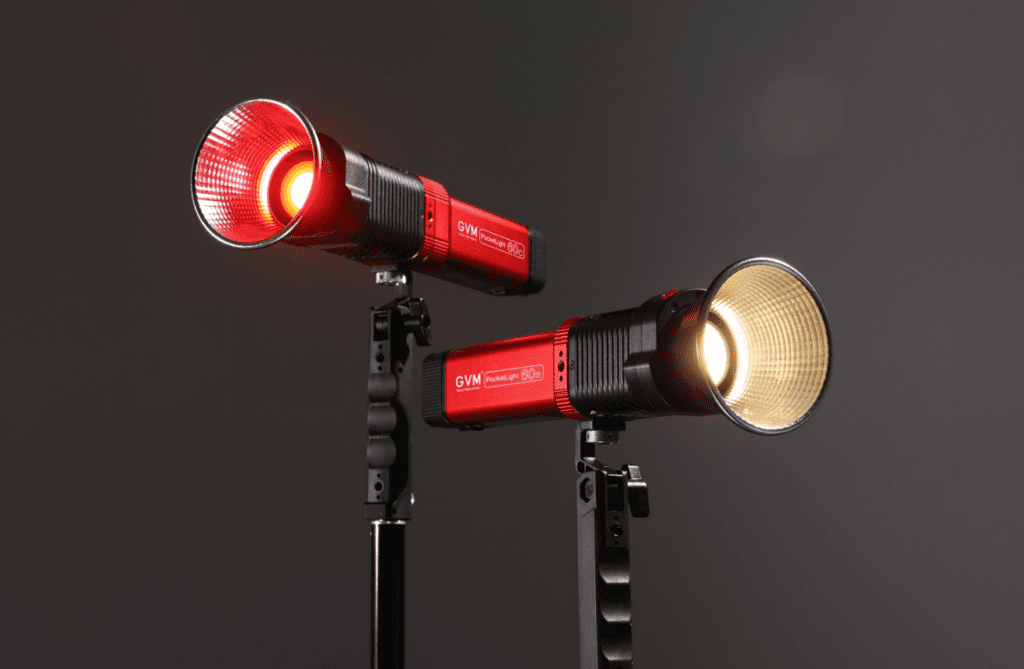
Prodotto in evidenza: Monoluce LED tascabile RGB GVM-PL60C
Se stai cercando lo standard d'oro di luci economiche per video YouTube che non sacrifica le funzionalità professionali, la GVM-PL60C è un forte contendente. Questo concentrato di potenza tascabile offre libertà creativa con il suo spettro RGB completo e un'accuratezza del colore di livello professionale.
Specifiche del prodotto GVM-PL60C
| Parametro | Specifiche |
| Modello del prodotto | GVM-PL60C |
| Tipo di prodotto | Luce di riempimento video a LED RGB |
| Temperatura del colore | 2700K – 6800K |
| Indice di resa cromatica (CRI) | ≥97 (TLCI 98+) |
| Luminosità (Luce Nuda) | 6330 Lux a 0,5m |
| Potenza | 60W |
| Peso | 0,8 kg (1,76 libbre) |
| Dimensioni | 169 × 76 × 72 mm |
| Metodi di controllo | A bordo, App GVM, Bluetooth Mesh |
| Alimentatore | Alimentazione DC (15V4A) o Batteria NP-F750 |
| Caratteristiche speciali | 16 modalità FX, 60 gelatine digitali, valutazione antipioggia |
Perché la GVM-PL60C è Perfetta per gli YouTuber
Il GVM-PL60C è progettato per i creatori che necessitano di “Libertà Creativa”. È dotato di sei modalità di illuminazione tra cui CCT per una luce bianca perfetta, HSI per qualsiasi colore dell'arcobaleno, e Modalità GEL, che fornisce 60 filtri digitali. Ciò significa che non è necessario acquistare gel di plastica fisici per ottenere quell'aspetto “pellicola classica”.
Inoltre, il suo Modalità Sorgente può simulare 12 realistiche sorgenti luminose come candele o un'auto della polizia, mentre la 16 Effetti Cinematici Dinamici (come Lightning o SOS) ti permettono di aggiungere transizioni di alta qualità alla tua narrazione. Nonostante la sua potenza di 60W, pesa solo 0,8 kg, rendendola una delle luci professionali più portatili sul mercato.
Come impostare l'illuminazione per i video di YouTube con l'iPhone
Molti creatori iniziano il loro percorso utilizzando uno smartphone. Sapere Come impostare l'illuminazione per i video di YouTube con l'iPhone gli utenti è fondamentale perché i sensori mobili sono molto sensibili alla qualità della luce. Se la luce è troppo bassa, l'iPhone produrrà video “granulosi” o “rumorosi”.
- La Luce Principale: Posiziona la tua luce principale (come la GVM-PL60C) con un angolo di 45 gradi rispetto al tuo viso. Questo crea un'ombra morbida su un lato del tuo viso, aggiungendo profondità e un aspetto “cinematografico”.
- Evita l'illuminazione mista: Se stai filmando vicino a una finestra durante il giorno, imposta la tua luce LED a 5600K (luce diurna) per abbinarla al sole. Se filmi di notte sotto lampadine domestiche, impostala a 3200K (caldo).
- Usa l'App: Usa l'app GVM per attenuare la luce finché l'esposizione sullo schermo del tuo iPhone non ti sembrerà perfetta. Vuoi evitare di “bruciare” la fronte con troppa luminosità.
- Retroilluminazione per la profondità: Posiziona una seconda piccola luce dietro di te, puntata sui tuoi capelli o sul muro. Questo crea un effetto “alone” che ti fa risaltare dallo sfondo, che è un segno distintivo del migliore illuminazione per i video di YouTube.
Illuminazione economica per video di YouTube: massimizzare il tuo setup
Trovare luci economiche per video YouTube non significa che devi accontentarti di una lampada da scrivania. La GVM-PL60C offre un guscio in lega di alluminio e un sistema di raffreddamento intelligente (modalità Smart/Silenziosa), garantendo che la luce non si surriscaldi e che il rumore della ventola non rovini il tuo audio.
Per chi ha un budget limitato, cerca i kit “2-Light Kits”. Questi kit spesso offrono il miglior rapporto qualità-prezzo, fornendo una luce principale e una luce di riempimento in un'unica confezione. Poiché il PL60C supporta Bluetooth Mesh Networking, puoi sincronizzare entrambe le luci e cambiare i colori di tutta la tua stanza con un tocco sul tuo telefono.
Conclusione: l'illuminazione è il tuo miglior investimento
Nel 2026, la barriera all'ingresso per i video di alta qualità è più bassa che mai. Non hai bisogno di uno studio enorme; ti serve solo intelligenza Illuminazione per YouTube soluzioni. Concentrandosi su luci ad alto CRI come la GVM-PL60C, si garantisce che i tuoi contenuti appaiano professionali, sia che tu stia filmando con un iPhone o con una fotocamera mirrorless di fascia alta.
Investire in illuminazione economica per YouTube che offre controllo RGB, CCT e app ti farà risparmiare denaro a lungo termine. Invece di acquistare più luci per scopi specifici, una monotorcia versatile può gestire tutto, da un semplice video “talking head” a un videoclip musicale complesso o a un cortometraggio drammatico. Ricorda, gli spettatori perdoneranno una qualità video media, ma spegneranno istantaneamente un video che è mal illuminato. Padroneggia la tua luce e padroneggerai la tua crescita su YouTube.