A teleprompter is easy to dismiss as a screen for reading a script. In practice, it does much more than prevent missed lines.For interviews, livestreams, online courses, corporate videos, and other presenter-led productions, the real challenge is holding eye contact, natural pacing, and a steady delivery while still communicating precise information.
That is what a good teleprompter is for — and it is why presenters who start their search with a Prompter People teleprompter often end up comparing it against newer, more portable options like the GVM TQ-MA.
The goal is not to make the presenter look like they are reading. Ideally, the teleprompter disappears.
So how should a teleprompter be used? What makes one setup feel more natural than another? And how do you avoid the habits that make prompted delivery sound stiff?
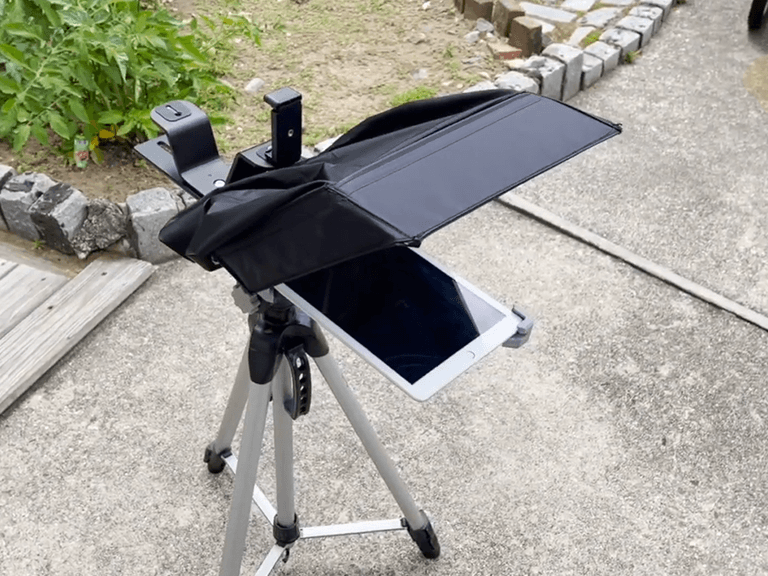
What a Teleprompter Actually Solves
The most obvious benefit is simple: you do not have to memorize every line.
That matters more than it sounds. When a presenter is busy recalling the next sentence, attention leaves the audience and the camera. Pauses stretch. Eye movement becomes visible. Even a well-written script starts to sound recited.
A teleprompter changes that dynamic. The script sits close to the lens, so the presenter can concentrate on delivery instead of recall. This is especially valuable when the content includes product names, technical terms, statistics, or carefully worded statements you cannot paraphrase on the fly.
But a teleprompter is not a substitute for preparation. It is better understood as a tool that gives the presenter more room to perform naturally.
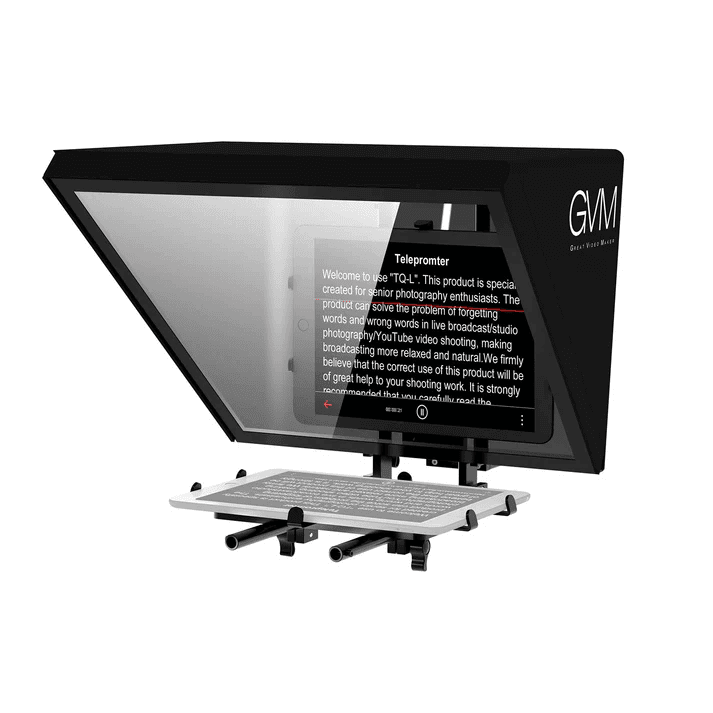
Start With the Script, Not the Teleprompter
A common mistake is treating the teleprompter as the starting point. It should not be.
Before you touch the camera or load the script, read the material aloud. Spoken language behaves differently from written language — a paragraph that looks tight on a page can turn clumsy the moment it is spoken.
Cut sentences that run too long. Remove filler transitions. Mark the places where a short pause feels natural.
Format the script for reading, not for looking at. Large, clear text beats densely packed paragraphs. Break longer thoughts into manageable chunks rather than forcing the presenter to track an unbroken wall of words.
A good script gives the presenter somewhere to look. A good teleprompter makes that looking invisible.
Teleprompter Placement: Where Eye Contact Lives or Dies
The physical position of the teleprompter has a direct effect on eye contact.
If the text sits too far from the lens, the presenter’s eyes read as looking beside the camera. If the viewing area is too narrow, the presenter has to sweep their eyes side to side, and the audience sees every sweep.
This is why a larger reflective surface is worth more than it looks on a spec sheet. A teleprompter built around a wider viewing area lets the presenter follow the script without large eye movements. The objective is not simply to make text visible — it is to keep the text inside a comfortable visual range around the lens.
In a professional setup, camera height, viewing angle, and presenter position should be adjusted together. Small changes make a surprisingly large difference on camera.
Scroll Speed: Give the Presenter Room to Speak
Reading speed is the other half of the equation.
If the text moves too fast, the presenter chases the script, which produces rushed speech and awkward pauses. If it moves too slowly, the presenter waits for the next line and loses the rhythm of the conversation.
Ideal speed depends on the speaker, the complexity of the material, and the tone of the production. For interviews and educational content, a slightly slower pace usually works better — it leaves room for emphasis, and it gives the presenter time to look at the camera instead of just tracking words.
The best teleprompter setup supports adjustment rather than imposing a fixed rhythm.
Viewing Area Matters More Than Screen Size
The viewing surface is one of the most important parts of a teleprompter, because it determines how comfortably the presenter can follow the script.
The GVM TQ-MA uses a 12-inch reflective mirror to deliver a wide viewing area and clear, high-definition text. It supports tablets and devices up to 8.6 inches wide, giving presenters room to follow a script while keeping a natural relationship with the camera.
That makes the TQ-MA a strong fit for interviews, livestreams, online courses, and other presenter-led work where eye contact carries the performance.
Its design also respects the practical side of production. The unit weighs about 1.6 kg, uses an aluminum alloy / SPCC structure, and is built for straightforward setup and transport. It is not trying to make the teleprompter the center of the production — it is built to stay out of the way.
Prompter People Alternative: What to Compare Before You Buy
If you are researching a Prompter People teleprompter, you are already asking sensible questions: How wide is the viewing area? How fast does it assemble? Will it work with my camera and the tablet I already own?
Those same criteria belong on any shortlist — including the GVM TQ-MA. Here is what actually separates one teleprompter from another on a real shoot day:
| What to compare | Why it matters | GVM TQ-MA |
|---|---|---|
| Viewing area | Determines how much eye movement the audience notices | 12″ wide reflective mirror |
| Device compatibility | Decides whether you reuse the tablet you already own | Tablets & devices up to 8.6″ wide |
| Portability | Predicts how often the teleprompter actually leaves the studio | ~1.6 kg, compact integrated body |
| Setup time | Eats directly into shoot day | Quick assembly & disassembly |
| Camera support | Must match the bodies you shoot on | Mirrorless, DSLR, camcorder |
| Build material | Survives repeated transport | Aluminum alloy / SPCC |
The point is not that one brand wins outright. It is that a teleprompter for interviews and livestreams should be judged on viewing comfort, portability, and setup speed — not on brand recognition alone.
Publisher note: verify competitor specifications against the current Prompter People lineup before publishing, and keep every claim factual and neutral.
Treat the Camera and Teleprompter as One System
A teleprompter works best as part of the whole camera setup, not as an add-on.
The camera should sit at a height that suits the presenter. The reflective surface should place the text naturally in the presenter’s line of sight. The distance between camera, mirror, and display needs to be comfortable for the person actually reading.
This matters most when you switch between cameras. The TQ-MA is compatible with mirrorless cameras, DSLRs, and camcorders, and its adjustable design lets you align the camera and tablet with the reflective mirror for whatever the shoot calls for.
A few minutes spent on alignment saves a lot more time during recording.
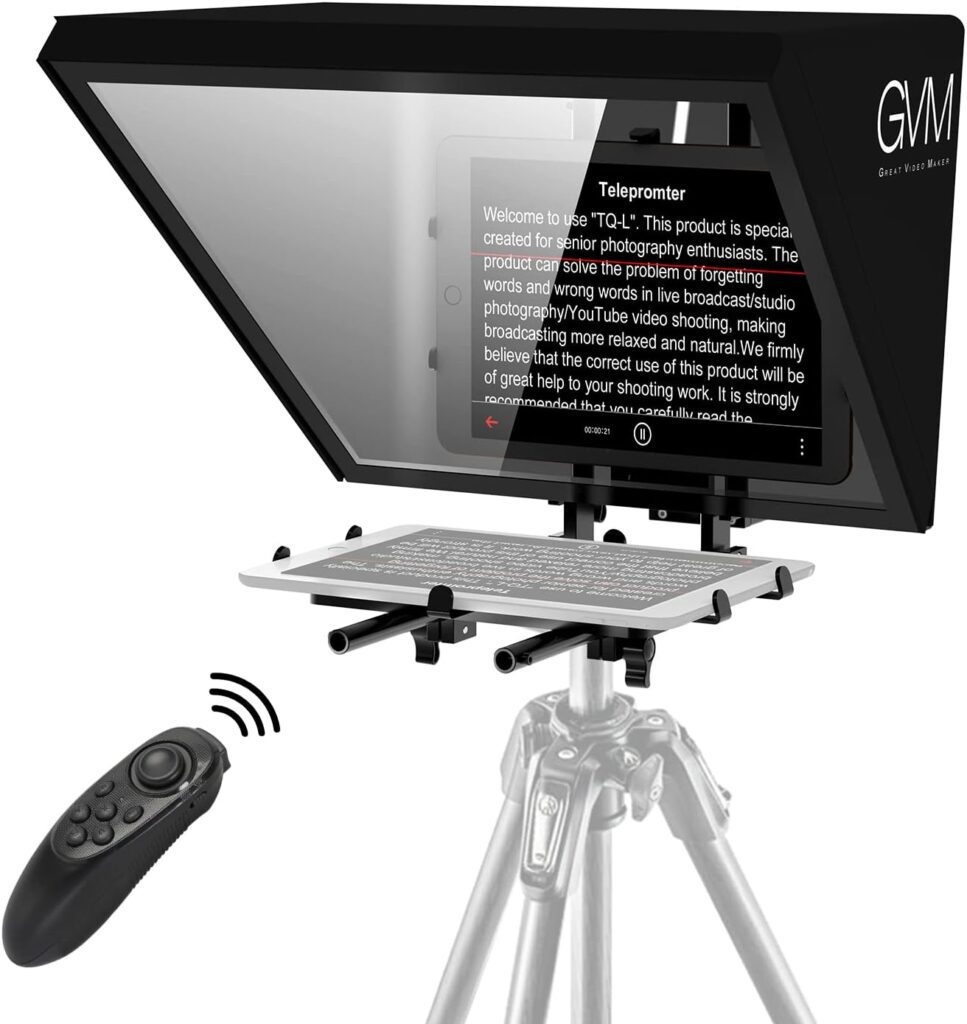
Keep the Text Simple and the Performance Human
There is a real temptation to put everything on the teleprompter. More information does not make a presentation easier.
Give the presenter only what they need in that moment. Short paragraphs, clear sentence breaks, and sensible pacing reduce visual clutter. When your prompting software supports it, use formatting to emphasize the words that carry the point.
The presenter still needs permission to breathe, pause, and react. A teleprompter should guide the performance, not control it.
Portable Teleprompter Setups for Real Shoot Days
A teleprompter looks like a studio accessory, but most modern productions move constantly. One day the camera is in a conference room; the next it is in a classroom, showroom, home studio, or a temporary interview corner.
That is where portability stops being a convenience. The TQ-MA pairs its large reflective viewing area with a compact design built for easier storage, transport, and setup. Its integrated structure simplifies assembly and cuts the time spent prepping the prompting system.
For small crews and solo creators, those saved minutes matter. When the gear is easy to handle, attention goes back to the actual production.
GVM TQ-MA at a Glance
| Feature | GVM TQ-MA |
|---|---|
| Best for | Interviews, livestreaming & online courses |
| Viewing area | 12″ wide reflective mirror |
| Display | Clear & high-definition text |
| Device compatibility | Tablets & devices up to 8.6″ wide |
| Eye contact | Wide viewing range |
| Setup | Quick assembly & disassembly |
| Portability | Compact & lightweight (~1.6 kg) |
| Build | Aluminum alloy / SPCC |
| Key advantage | Natural eye contact & smooth script reading |
| Applications | Video production, education & content creation |
Teleprompter FAQ
What is a teleprompter used for?
A teleprompter displays a script near the camera lens so presenters can read while holding eye contact. It is standard for interviews, livestreams, corporate video, online courses, and news-style delivery.
How do you use a teleprompter without sounding like you’re reading?
Write for the ear, not the eye: shorter sentences, natural pauses, large clear text. Set a scroll speed that lets you pause for emphasis, and rehearse aloud at least once before you record.
Does a teleprompter hurt eye contact?
Only when it is positioned badly. If the text sits too far from the lens or the viewing area is too narrow, the audience sees your eyes move. A wide reflective surface keeps the script within a comfortable range around the lens.
What should I look for when choosing a teleprompter?
Viewing area, device compatibility, camera support, setup time, and portability. If you shoot on location, a portable teleprompter that assembles in minutes will get used far more often than a heavier studio unit.
Is the GVM TQ-MA a Prompter People alternative?
It belongs on the same shortlist. The TQ-MA pairs a 12-inch reflective mirror with support for tablets up to 8.6 inches, a ~1.6 kg integrated body, and quick assembly — a practical fit for interviews, livestreams, and online courses.
Can a teleprompter work with a mirrorless camera or DSLR?
Yes. The GVM TQ-MA works with mirrorless cameras, DSLRs, and camcorders, with adjustable alignment between the camera, tablet, and reflective mirror.
How many watts — or how much light — do I need alongside a teleprompter?
A teleprompter handles the script; lighting is a separate decision. For most single-subject interview and talking-head setups, a 40–80W bi-color LED panel or a compact COB fixture is enough.
Final Verdict
Good prompting is almost invisible. The audience should not notice the mirror or the scrolling text, and they should never feel that the presenter is reading.
That is why choosing a teleprompter is less about finding the biggest screen or the most complex system. The useful questions are practical ones:
- Can the presenter hold natural eye contact?
- Is the viewing area comfortable?
- Can the script be read clearly without excessive eye movement?
- Can the setup be adjusted quickly?
- Can the whole system move when the production moves?
The GVM TQ-MA answers these with a wide 12-inch reflective mirror, support for tablets up to 8.6 inches, a lightweight ~1.6 kg build, and a setup designed around portability and efficiency. For anyone comparing options in this category — including creators who began with a Prompter People teleprompter — it is a teleprompter worth shortlisting.
In the end, a teleprompter should not become one more thing the presenter has to manage. It should quietly remove one obstacle between the idea and the finished video. When that happens, the technology fades into the background, and the person on camera takes over.
Explore GVM teleprompters and professional video solutions at gvmled.com