Good video lighting is not just about brightness. It shapes the subject, establishes the mood, and helps a scene feel believable. A simple interview can look polished with soft, well-placed light, while a dramatic short film may need changing colors and moving light patterns to bring the story to life.
For creators working in small studios or on location, the challenge is achieving these results without building a complicated lighting setup. Understanding how to soften light, simulate practical light sources, and introduce dynamic effects can make a noticeable difference.
This guide covers several practical lighting techniques and explains how the GVM Z200B can help creators explore them.
Table of Contents
Why Soft Lighting for Video Matters
Hard light produces defined shadows and strong contrast. It can be useful for dramatic scenes, but it may also emphasize skin texture and create distracting shadows when used incorrectly.
Soft light spreads illumination over a larger area, producing gentler transitions between highlights and shadows. This makes it a popular choice for interviews, portraits, product videos, and talking-head content.
The key is not simply turning up the brightness. The size of the light source relative to the subject matters more. A large light source placed close to a person generally produces softer shadows than a small source positioned farther away.
There are several ways to achieve this effect:
- Use a softbox or diffusion material. These help spread light and reduce harsh shadows.
- Move the light closer to the subject. When practical, this increases the apparent size of the source.
- Adjust the light’s angle. A position slightly to one side often creates more depth than direct frontal lighting.
- Control the background separately. Keeping the background a little darker can help the subject stand out without requiring excessive contrast on the face.
Soft lighting for video is particularly useful when consistency matters. In interviews, for example, gentle shadows and controlled highlights help maintain a natural appearance throughout a conversation.
However, soft light is not always the answer. The best results come from matching the lighting quality to the scene. A suspenseful sequence may benefit from harder shadows, while a product demonstration may need broad, even illumination.
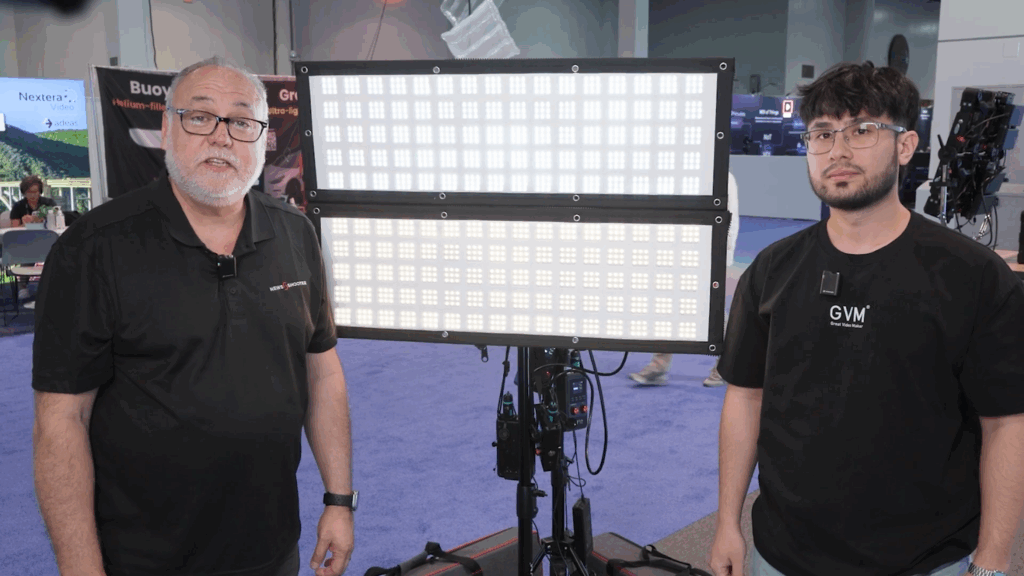
How to Simulate Cinematic Lighting Without a Complicated Setup
Cinematic lighting does not necessarily require a large crew or an elaborate studio. Often, the effect comes from recreating familiar light sources and placing them with a clear purpose.
Think about the light in a scene before deciding which fixture to use. Is the subject standing near a window? Is a television illuminating the room? Does the scene take place under streetlights at night?
These details provide a starting point for building a believable lighting setup.
1. Recreate Natural and Practical Light Sources
One effective technique is to simulate the sources that would naturally exist in the environment.
For a daytime interior, use a daylight-balanced light as the main source and soften it through diffusion. For a warmer evening scene, introduce a warmer color temperature to suggest household lamps or tungsten lighting.
The direction of the light is just as important as its color. A window-style source coming from the side creates a different impression from a light positioned directly above the camera.
The goal is to make the illumination feel motivated by the environment rather than appearing to come from nowhere.
The GVM Z200B supports a 2700K–6800K color temperature range, allowing creators to adjust between warmer and cooler light. Its app-based source-matching mode also includes simulations of common lighting sources, such as tungsten, HMI, candlelight, and daylight.
These options make it easier to experiment with different lighting styles without changing fixtures every time the scene changes.
2. Use Light Position to Create Depth
A common mistake is illuminating everything equally. When the subject, background, and surrounding objects receive the same amount of light, the image can look flat.
Instead, establish a key light first. Position it to reveal the subject’s features, then decide whether the background needs additional illumination.
For a simple interview, place a softened key light slightly to one side of the subject. If the opposite side becomes too dark, add a small amount of fill light. A subtle backlight can help separate the subject from a darker background.
You do not always need three separate fixtures. Reflectors, nearby walls, and careful adjustments to the key light can sometimes achieve the desired balance.
The same principle applies to product videos. Let the main light reveal the object’s shape, then use controlled highlights to emphasize its surface and edges.
A useful rule is to make one light do its job before adding another. This keeps the setup easier to control and prevents unnecessary light from washing out the image.
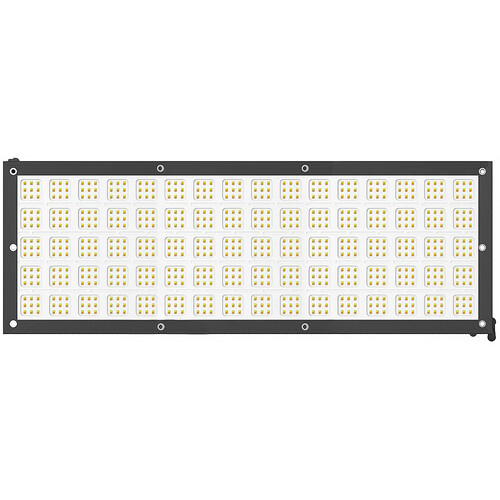
GVM Z200B: A Practical Tool for Flexible Video Lighting
The GVM Z200B is a 200W bi-color LED light mat designed for photography and video production. Its slim form, adjustable color temperature, and lighting control options make it suitable for a range of studio and location-based applications.
Rather than serving only as a source of illumination, it can also support different lighting approaches as a production develops.
Convenient Simulation of Cinematic Lighting
The Z200B’s app-based source-matching mode offers 12 simulated light-source options, including tungsten, HMI, candlelight, and daylight.
This gives creators a convenient way to explore different lighting environments. Instead of rebuilding the entire setup, they can adjust the light to better match the mood or apparent source within the scene.
For small productions, this can simplify experimentation and help maintain a consistent visual direction.
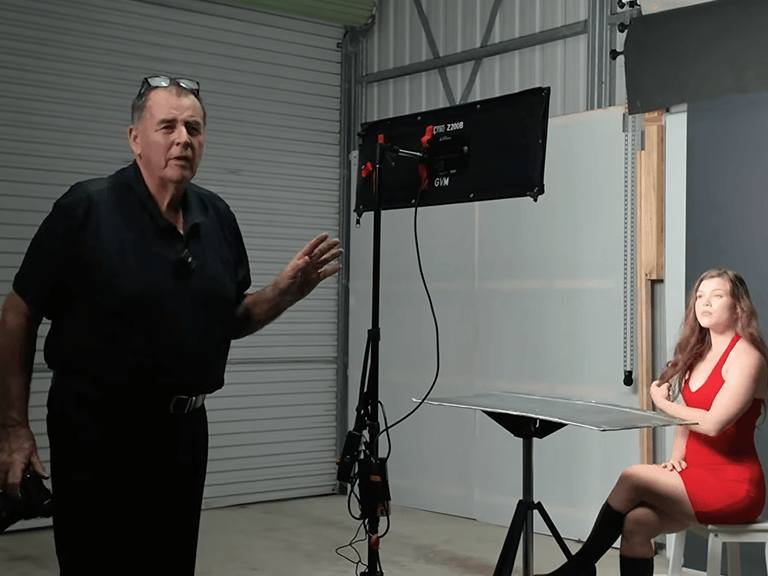
Built-In Effects for Creative Video Production
The Z200B includes 12 simulated lighting effects accessible through its app. Options such as TV, Lightning, Fire, and Explosion offer practical starting points for scenes that require changing illumination.
These effects are particularly useful for short films, music videos, and creative content where lighting contributes directly to the storytelling.
They also reduce the need to recreate every lighting variation manually, although physical lights and additional fixtures may still be necessary for more complex scenes.
More Flexible Lighting for Changing Scenes
With adjustable color temperature from 2700K to 6800K, the Z200B can accommodate both warmer and cooler lighting conditions. Its 200W output, dimming control, and app-based operation provide additional flexibility when adapting a setup.
The light also supports AC power and separately purchased battery power, making it suitable for different production environments.
For creators who regularly move between interviews, product videos, and more stylized projects, this combination of basic lighting control and creative effects can be useful.
The objective is not to use every available feature. It is to have the right options when a scene calls for something different.
| Feature | GVM Z200B (Bi-Color) |
| Best For | Film & Broadcast |
| Power Output | 200W High Output |
| Color Temp | 2700K–6800K |
| Color Modes | Bi-Color + 12 Presets |
| CRI / TLCI | CRI 95+ |
| Special Effects | 12 Cinematic Effects |
| Portability | Ultra-Slim & Expandable Design |
| Control Type | APP + Bluetooth Mesh + IR Remote |
| Power Source | AC / V-Mount Battery |
Conclusion
Effective video lighting starts with a clear understanding of the scene. Soft light can make faces look natural, careful positioning creates depth, and simulated light sources help establish a believable environment.
Once those fundamentals are in place, dynamic effects can add movement and atmosphere without overwhelming the image.
The GVM Z200B brings these approaches together through adjustable bi-color output, source-matching options, and built-in lighting effects. It offers creators a practical way to experiment with different looks while keeping their lighting workflow manageable.
Good lighting does more than make a subject visible. It gives the viewer a reason to look, feel, and stay with the scene.