If you’ve ever shot a scene that looked perfectly white to your eye, only to pull the footage into your NLE and find it screaming orange — you’ve already had a run-in with color temperature for video. Understanding Kelvin isn’t optional for filmmakers; it’s the difference between footage that blends seamlessly in the edit and footage that requires hours of correction.
I’ll break down what color temperature actually means, how to read it on set, and the gear that makes controlling it painless.
Understanding Kelvin in Video Production
Color temperature is measured in Kelvin (K) and describes the warmth or coolness of a light source. Lower Kelvin values produce warm, amber tones (think candlelight at 1800K or tungsten bulbs at 3200K), while higher Kelvin values produce cool, bluish tones (overcast daylight sits around 6500K, clear blue sky pushes 10,000K+).
For video work, the three numbers that matter most are:
- 3200K — tungsten / indoor practical lighting
- 5600K — standard daylight
- 2700K–6800K — the bi-color range found in modern LED panels and monolights
The “weird” thing is that a high Kelvin number looks cool on camera but feels cold to a viewer, while low Kelvin numbers look warm on camera but feel cozy. Your eye auto-adjusts, but your camera sensor records exactly what you point it at. That’s the trap.
Warm vs Cool: Setting the Mood with Color Temperature
Color temperature is one of the most powerful storytelling tools in cinematography. Here’s how I think about it on set:
- 2700K–3200K (warm): Restaurant scenes, intimate interviews, “golden hour” nostalgia, period pieces, or anything meant to feel safe and inviting
- 4000K–5000K (neutral): Documentary work, corporate interviews, news — clean and honest
- 5500K–6500K (cool): Sci-fi, hospital scenes, technology demos, anything clinical or tense
A common beginner mistake: leaving your LED at 5600K daylight because the scene “should” be daylight, even when the window light is actually pushing 7000K. Match the practical, not the assumption.
Mixed Color Temperature: Problems & Creative Solutions
Mixed color temperature is where things get interesting. The problem: when a single frame contains both warm and cool light sources at different Kelvin values, your camera has to pick a white balance — and something will look wrong.
You’ve got three options:
- Dominate the scene — overpower the unwanted source with a strong LED key light at your chosen Kelvin
- Gel the practicals — CTO/CTB gels on existing fixtures bring them in line
- Embrace the mix — pull white balance between the two extremes for a stylized, cinematic look (the classic “Tungsten-Daylight” tension you see in thrillers)
The third option, used deliberately, is one of my favorite looks. Just make sure it’s a creative choice, not an accident.
Bi-Color LED Lights for Flexible Color Temp
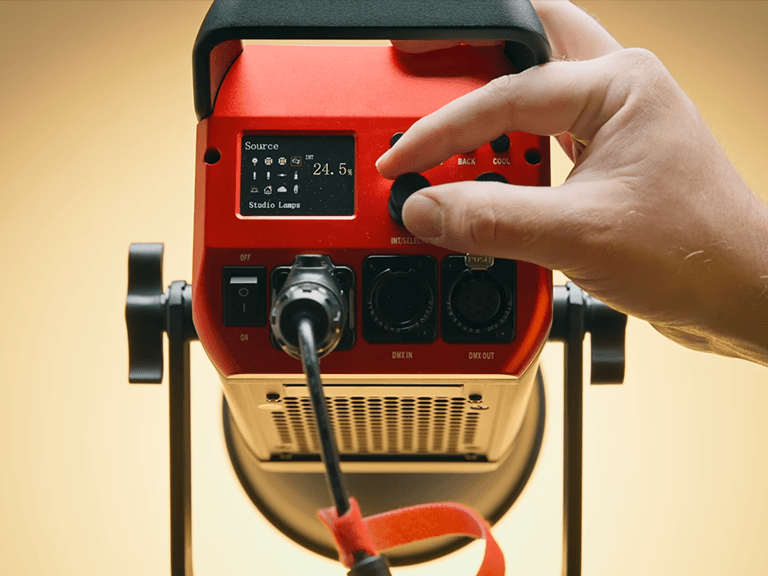
Bi-color LEDs let you dial in any Kelvin from roughly 2700K to 6800K with a single fixture. The GVM PRO SD200B, for example, covers the full bi-color range, hits 45,400 lux at 1 meter with the standard reflector, and maintains a CRI/TLCI of 97+ across the entire Kelvin sweep. That last point is critical — cheaper bi-color lights often shift green or magenta at the extremes of their range, and you’ll spend hours in post fighting it.
For run-and-gun work where you need to match ambient light fast, bi-color is the only sane choice.
Matching Color Temperature Across Multiple Lights
When you have two, three, or more lights in a scene, matching color temperature across the set is what separates a pro shoot from an amateur one. Here’s the workflow I use:
- Set the key to the ambient’s actual Kelvin (read it with a meter or eyeball it)
- Set the fill to the same Kelvin, or 200K warmer for a flattering look
- Set the back/hair light to the same Kelvin, or up to 400K cooler for separation
- Lock the white balance on the camera after all lights are set — never before
If your lights are GVM, you can do this in under two minutes because the bi-color shift is so clean.
Best GVM LED Lights for Color Temperature Control
Below are two GVM fixtures that make color temperature management straightforward on any video set.
| Model | Power | Color Temp | CRI/TLCI | Max Output | Best For |
|---|---|---|---|---|---|
| GVM PRO SD200B | 200W | 2700K–6800K | 97+ | 45,400 lux @ 1m | Studio & interview setups |
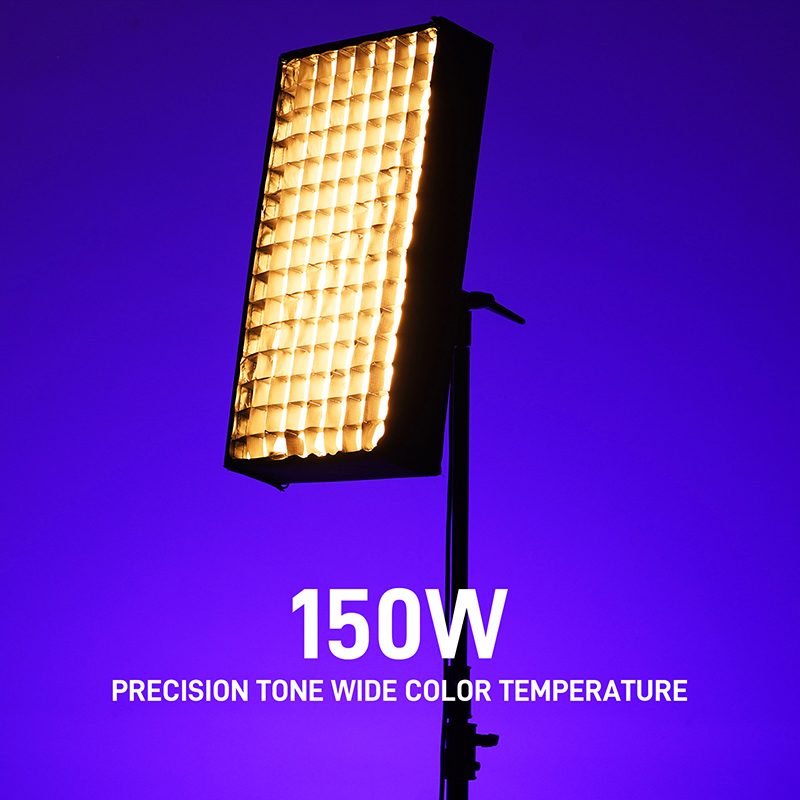
| GVM Z150B ZipTile | 150W | 2700K–6800K | 97+ | (panel-style, soft output) | On-location & mobile shoots |
The SD200B is the workhorse — punchy, bi-color, mesh-networked for multi-light control. The Z150B ZipTile trades raw power for a soft, wraparound panel quality that flatters skin tones without diffusion. Both maintain 97+ color accuracy across the full Kelvin range, so your white balance stays clean from end to end.
Frequently Asked Questions
What color temperature is best for indoor video?
For most indoor video, 3200K (tungsten) or 4000K (neutral) reads as natural and flattering. If you’re mixing with daylight through a window, you’ll likely want 4500K–5000K to split the difference.
Is 5600K daylight or 5600K?
Both — they’re the same value. “Daylight balanced” means 5600K, the color temperature of mid-morning or mid-afternoon sun. It’s the default white balance for outdoor shooting.
Can I mix 3200K and 5600K lights?
You can, but be deliberate about it. If you want a clean, neutral look, no — pick one and gel or overpower the other. If you want cinematic tension or stylized contrast, then yes, mixing is a powerful creative tool.
Do I need bi-color lights for video?
If you shoot in mixed lighting conditions (interviews near windows, on-location work, event coverage), bi-color LEDs will save you hours of post-production. If you only ever shoot in a controlled studio with lights all the same age and type, you can save money with daylight-only fixtures.
What’s the difference between CRI and TLCI?
CRI (Color Rendering Index) measures how accurately a light reveals colors compared to a reference, used mostly in photography. TLCI (Television Lighting Consistency Index) is the broadcast/video equivalent and accounts for the way camera sensors respond. For video work, TLCI is the more relevant number, though both should be 95+ for professional results.
Ready to upgrade your color temperature control? Browse the full GVM bi-color lineup at shop.gvmled.com and find the right light for your workflow.